
What is meant by LED display?
Here’s a clear, technical explanation of what an LED display means, tailored for professional contexts:
Core Definition
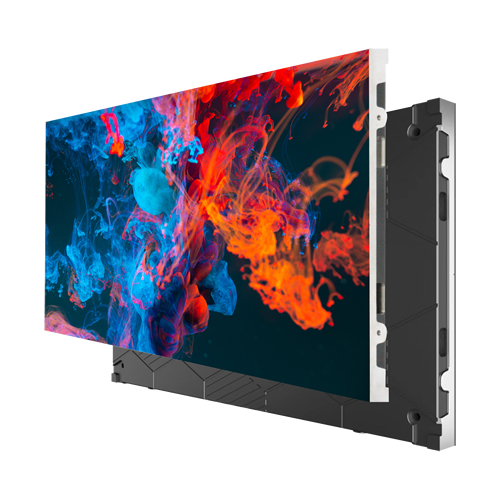
An LED display is a self-emissive visual technology where each pixel emits its own light using Light-Emitting Diodes (LEDs). Unlike LCD/OLED screens that use a backlight or organic compounds, LED displays directly generate light through semiconductor diodes.
Key Components
-
LED Pixels:
- Each pixel combines sub-pixels (red, green, and blue LEDs).
- Color mixing creates millions of hues by adjusting individual LED intensity.
-
Modules/Panels:
- Pixels are mounted on modular panels (e.g., 320x160mm).
- Panels tiled together to form large-scale displays.
-
Cabinet Structure:
- Frames holding multiple panels for structural integrity.
- Designed for stacking (indoor/outdoor installations).
-
Control System:
- Processor (e.g., Brompton, NovaStar): Handles video input, calibration, and color management.
- Controller/HUB: Distributes data/power to modules.
How It Works
- Image Creation: Voltage applied to RGB LEDs → photons emitted → colored light blends at varying intensities.
- Pixel Pitch: Distance (in mm) between adjacent pixels (e.g., P1.2 to P10). Smaller pitch = higher resolution.
- Brightness Control: Adjustable from ≈1 to 20,000 nits (outdoor full-sun visibility).
Common Configurations
| Type | Use Case | Technology |
|---|---|---|
| Indoor Fine-Pitch | Control rooms, studios | SMD (Surface-Mount) / COB (Chip-on-Board) |
| Outdoor Rental | Concerts, events | Weatherproof SMD |
| Digital Signage | Billboards, lobbies | High-brightness LEDs |
| Virtual Production | Film/TV stages | Low-reflection COB |
Key Advantages
- Scalability: Seamlessly expandable to stadium-size (>1,000㎡).
- Brightness & Contrast: Unmatched in bright environments (no backlight washout).
- Durability: 100,000+ hour lifespan (vs. OLED’s ≈30,000 hours).
- Calibration Support: Per-pixel brightness/color tuning (critical for uniformity).
LED vs. LCD/OLED
| Feature | LED Display | LCD | OLED |
|---|---|---|---|
| Light Source | Self-emissive | LED backlight | Self-emissive |
| Black Levels | Excellent | Poor (backlight bleed) | Perfect |
| Size Limit | None | Rarely >110″ | Rarely >88″ |
| Viewing Angles | 170°+ | ≈120° | 180° |
Critical Applications
- Broadcast Studios: Color-critical backdrop walls (Brompton-calibrated).
- Control Rooms: High-resolution data visualization.
- Live Events: Dynamic stage backdrops (e.g., Coachella, Super Bowl).
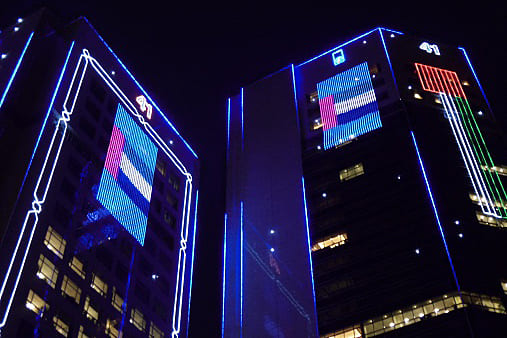
- Architectural: Curved/building-wrapping installations.
💡 Note: “LED display” often refers to direct-view LED technology in pro AV contexts. Avoid confusing it with LED-backlit LCDs (common in TVs), which lack per-pixel emissive control.
For your calibration-focused workflow (as discussed earlier), understanding this foundation clarifies why pixel-level calibration is essential: LED variance requires per-pixel correction to achieve visual uniformity. 🌟
 Why are LED displays so expensive?
 How to choose the right LED display for your application?
 How to tell if my LED screen needs calibration?
 How often should LED screens be calibrated?